Configuring Kafka tables
The user defined Kafka table can be configured based on the schema, event time, input transformations and other Kafka specific properties.
Schema tab
Schema is defined for a given Kafka source when the source is created. The data contained in the Kafka topic can either be in JSON or AVRO format.
When specifying a schema you can either paste it to the Schema Definition field or click the Detect schema button to identify the schema used on the generated data. The Detect Schema functionality is only available for JSON data.
Event Time tab
- Input Timestamp Column: name of the timestamp column in the Kafka table from where the event time column is mapped
- Event Time Column: new name of the timestamp column where the watermarks are going to be mapped
- Watermark seconds: number of seconds used in the watermark strategy. The watermark is defined by the current event timestamp minus this value.
If you select Use Kafka Timestamps checkbox,the new event time field is extracted from the Kafka message header.
After saving your changes, you can view the created DDL syntax for the table on the right side under the DDL tab. You can review the generated watermark strategy for your table that was set on the Watermark Definition tab.
'eventTimestamp' TIMESTAMPS(3) METADATA FROM 'timestamp',
WATERMARK FOR 'eventTimestamp' AS 'eventTimestamp' - INTERVAL '3' SECOND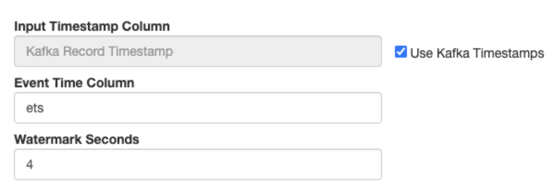
- The timestamps column type must be "long".
- The timestamp format must be in epoch (in milliseconds since January 1, 1970).
'ets' TIMESTAMP(3) METADATA FROM 'timestamp',
WATERMARK FOR 'ets' - INTERVAL '4' SECOND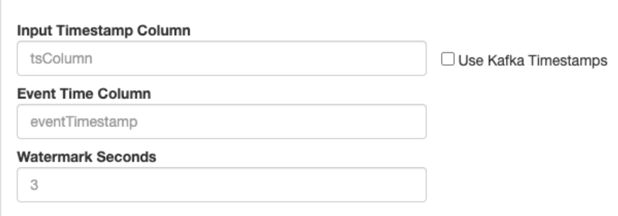
Input Transform tab
You can apply input transformations on your data when adding a Kafka table as a source to your queries. Input transformations can be used to clean or arrange the incoming data from the source using javascript functions.
For more information about Input Transform, see the Creating input transformations document.
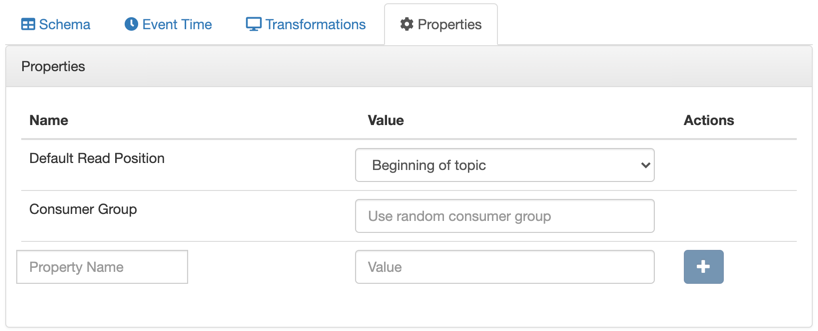
Properties tab
Assigning Kafka keys in streaming queries
Based on the Sticky Partitioning strategy of Kafka, when null keyed events are sent to a topic, they are randomly distributed in smaller batches within the partitions. As the results of the SQL Stream queries by default do not include a key, when written to a Kafka table, the Sticky Partitioning strategy is used. In many cases, it is useful to have more fine-grained control over how events are distributed within the partitions. You can achieve this in SSB by configuring a custom key based on your specific workload.
If using the Dynamic Kafka sink (created by selecting “Apache Kafka” in the “Add table” drop-down, as shown below), keys can be specified in the output of the query by including the special “_eventKey” column name or alias.
SELECT sensor_name AS _eventKey --sensor_name becomes the key in the output kafka topic
FROM sensors
WHERE eventTimestamp > current_timestamp;
To configure keys in DDL-defined tables (those that are configured via “Flink DDL” in the “Add table” drop-down), refer to the official Flink Kafka SQL Connector documentation for more information (specifically the key.format and key.fields options).