Add a custom service to Apache Knox Proxy
How to add a custom service in Knox proxy via Cloudera Manager.
Custom
services are unofficial, tech preview, or community feature Knox
services. You must supply the service definition files (service.xml
and rewrite.xml) exist in the
KNOX_DATA_DIR/services folder. These are not recommended
for production environments, and not supported by Cloudera.
In this example, we are going to add a custom service
(
MY_SERVICE) in
cdp-proxy with the following attributes:Version: the service’s version, e.g.1.0.0.URL: the service URL, e.g.https://sampleHost:1234.Service parameter: a sample service parameter, e.g.myValue.
To achieve the goals we need to add 3 new entries with the above-listed
parameters in Knox Simplified Topology Management - cdp-proxy. Then we save
the changes, refresh the cluster and check if the newly added custom service is
available in cdp-proxy.
-
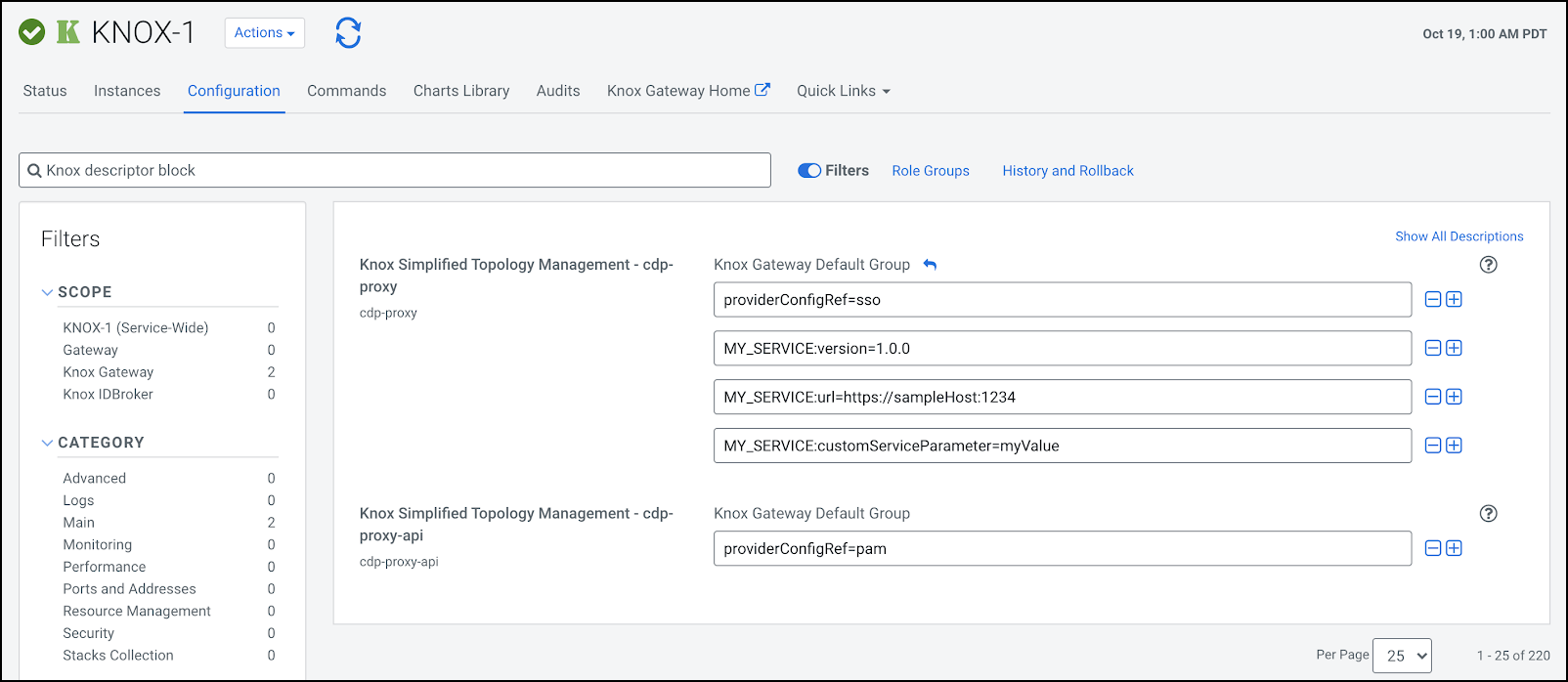
From , add the 3 new entries with the above-listed parameters.
MY_SERVICE:version=1.0.0
MY_SERVICE:url=https://sampleHost:1234
MY_SERVICE:customServiceParameter=myValue
-
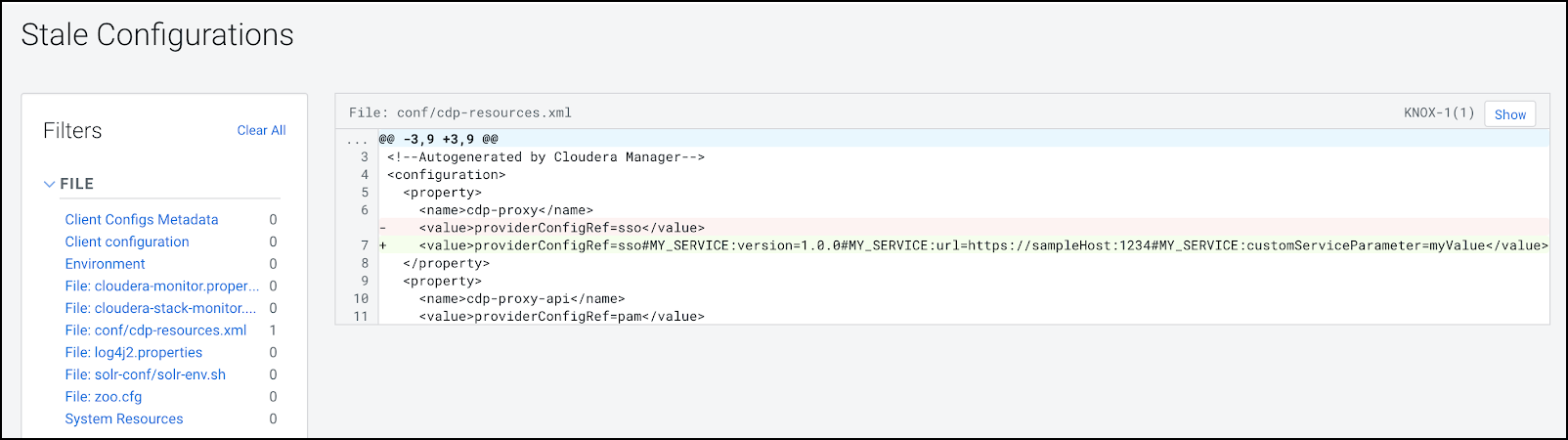
The ‘Refresh needed’ stale configuration indicator appears; click it and wait
until the refresh process finishes.