

You can edit repository details, including the configuration properties using the edit icon next to a repository name.
To change the settings:
Sign in to the HDP Security Administration Web UI.
Click .
The Repository Details page displays.
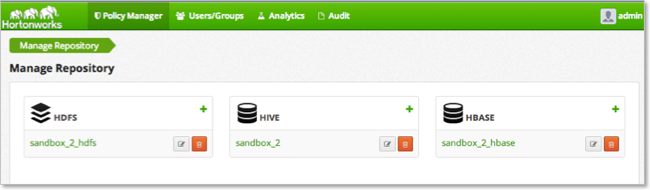
Click the icon next to the Repository name.
The Repository Details page displays.
Change the settings and click .
![[Note]](../common/images/admon/note.png) | Note |
|---|---|
Changing the repository name does not break the link between the agent and the repository. The name is updated on the corresponding Audit and Reporting pages. |
