
Searching and Identifying Hive Queries
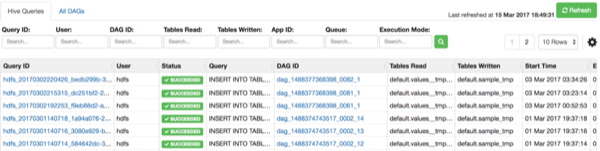
The landing page of the Tez View has a tabbed layout, with the Hive Queries tab as the default tab. While displaying all the query details in a tabular format with pagination support, the UI also provides options to search based on various parameters.
The search criteria of the Hive Queries tab are:
Query ID
User
DAG ID
Tables Read
Tables Written
App ID
Queue
Execution Mode
Search returns hits when there are exact matches with the criteria that is entered on the top of the tab. Therefore, you must enter each search string as a complete value in the search criteria fields. You can enter multiple values (table names) in the Tables Read filter and Tables Written filters.